The servers can be used with various sftp clients as well as the native openssh sftp binary.
Two options are being explained – setup and connection with WinSCP client and connection using openssh sftp client binary.
The client should be configured with previously generated private key.
WinSCP supports only PuTTYGen generated ppk keys but it can convert the normal ssh key to ppk format during the client setup.
Detailed steps:
Hostname: sftp.wipo.int Username: ipob_jsmith |
Click on Advanced, select SSH->Authentication.
| Remove all ticks in the boxes (no fancy authentications) |
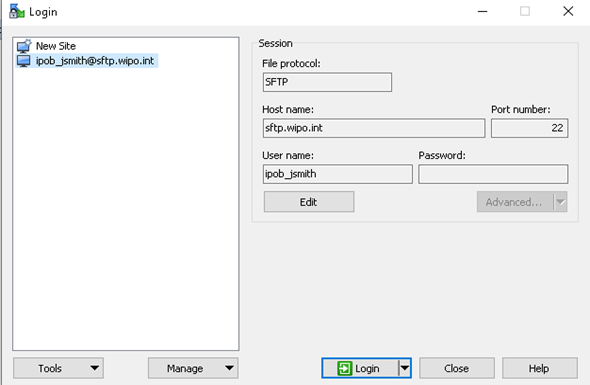
Click Login to connect.
The binary is installed by default with openssh package on Linux. On Windows 10 it is also part of the Operating System but should be enabled/installed first.
To connect to the sftp just use option to point to the private key and the correct credentials:
sftp -i /home/ipob_user/.ssh/ipob_jsmith.key ipob_jsmith@sftp.wipo.int |
