Once the document is made available for download as PDF, please click on the download icon (
 ).
). 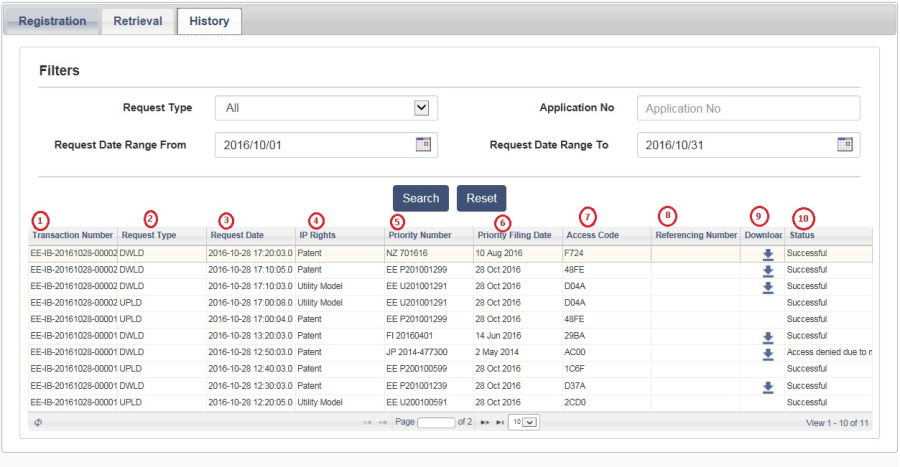
Using this this screen user may search the registration or retrieval request on a given date range.
Once the document is made available for download as PDF, please click on the download icon ( ).
Description of the fields marked in RED are provided as follows:
"Successful" text appears, and in case of error description an error message appears in this column.