PuTTYGen can be installed separately or together with WinSCP (Free Windows SFTP/SCP client)
It can be downloaded from : As part of WinSCP - downloaded from https://winscp.net/ PuTTYGen(alone) - download from https://www.puttygen.com/ |
After downloading the package, run it. Select “Full Installation” and choose your desired language. Be sure that the boxes concerning the installation of “PuTTYGen” and “Pageant” are checked. Follow the installation instructions.
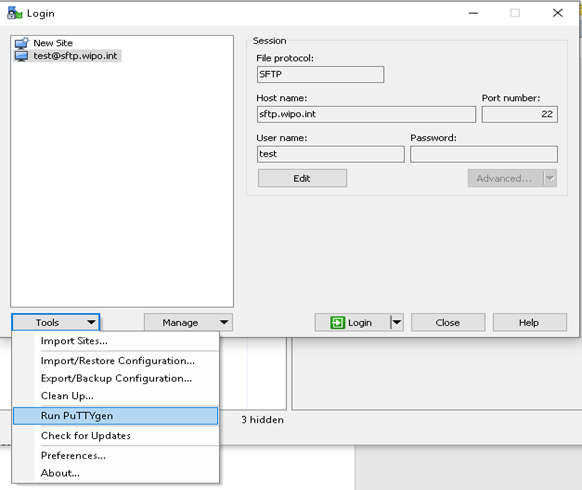
For WINSCP you can find PuTTYGen in the menu:
|
In both cases the PuTTYGen usage is the same, it is used to create the authentication keys as explained below:
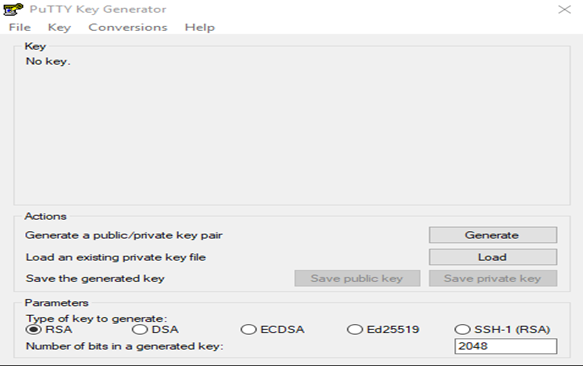
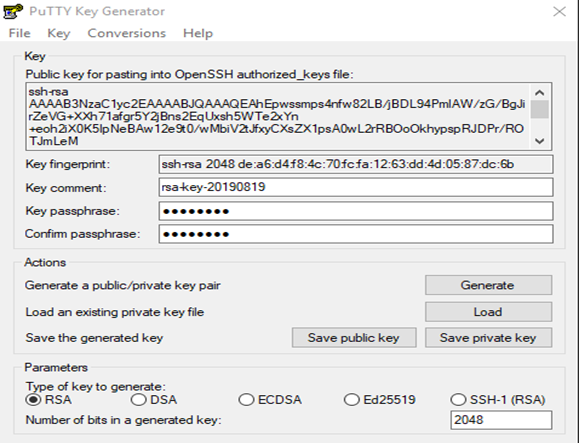
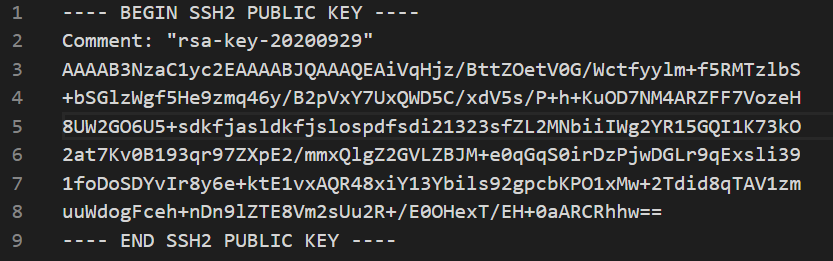
Be aware that the format of the key should only be RSA SSH2. If you view the public key with a text editor, will look like something like this:
Be aware that the sequence of characters will be different and unique (is random characters generated by the process described above). |
Rename the files using the suggested account name
Example:
|
Email your public key to you support contact copying the ipas mailbox (ipas@wipo.int).
|