...
Once the request is processed its status with details will appear in the history screen.
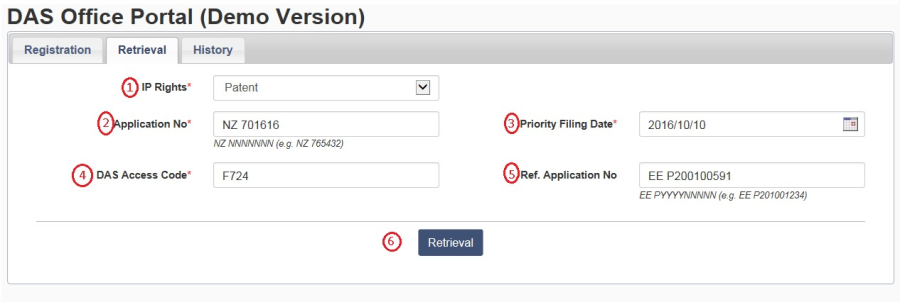 Image Removed
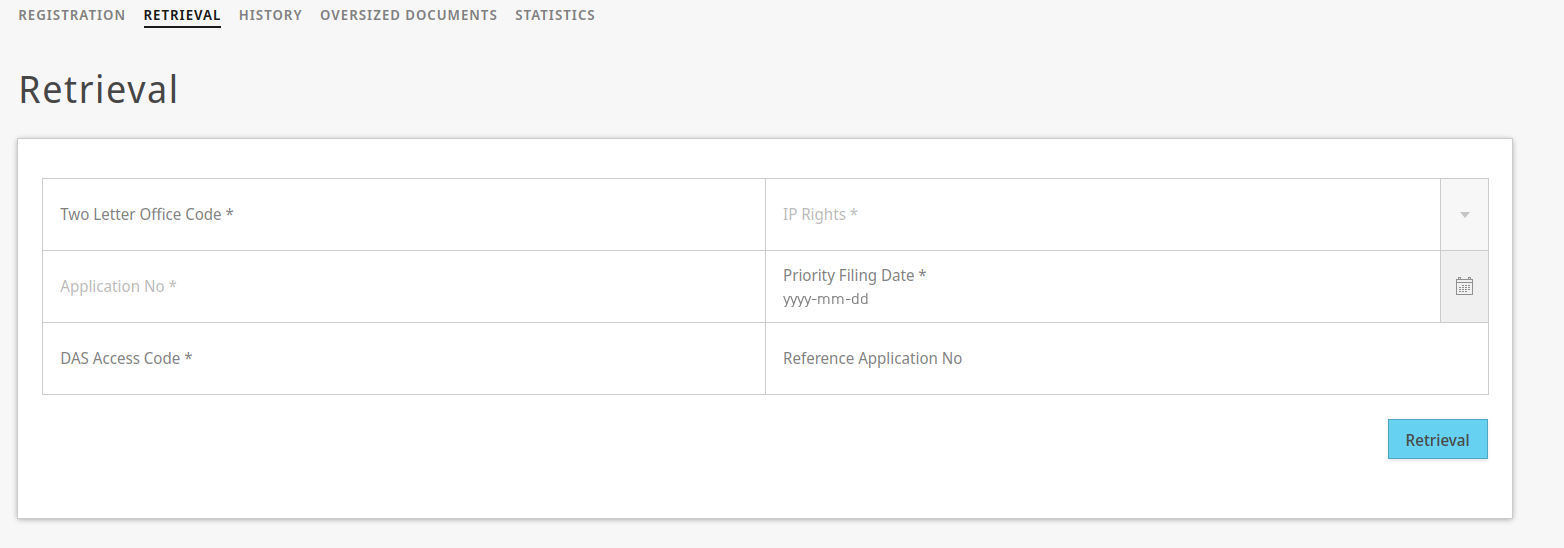 Image Added
Description of the fields marked in RED are provided as follows:
1 | This dropdown specifies the IP rights (Patent, Utility Model, etc,). |
2| Application No | This field is to enter the priority number |
with 2 digit office code, based on the above selected IP rights a suggested number format appears below this field to assist user. |
34| DAS Access Code | This field is to enter the DAS Access Code, which shall be always 4 digit hexadecimal characters. |
5| Reference Application No. | This is an optional field can be used to capture the number for local reference application in which the retrieved priority document will be held. |
| Note |
|---|
After pressing on "Retrieval" the form will reset and you should check later in the "History" tab, to see when the document is ready to download. |
| Children Display |
|---|
| page | b.- DAS Office Portal |
|---|
|
...
