
| Table of Contents | ||
|---|---|---|
|
How to add a file to your tracking list
To add a priority document to your workbench, first press the "Add tracking" button:
...
| Info |
|---|
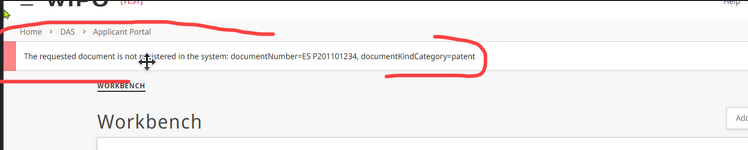
If for some reason you entered the wrong information, the system will show you an error message at the top:
But the information of the form will not be deleted, so if it was a minor "typo", you can just correct the error and resubmit the request (via the button "SAVE") |
Notifications for changes in your tracked files
Under the Notifications section of Applicant portal, you can choose your preference for the notifications you want to receive, by selecting the appropriate box.
...