1) Create a new user
Go to: https://
...
confluence.wipo.int/confluence/
...
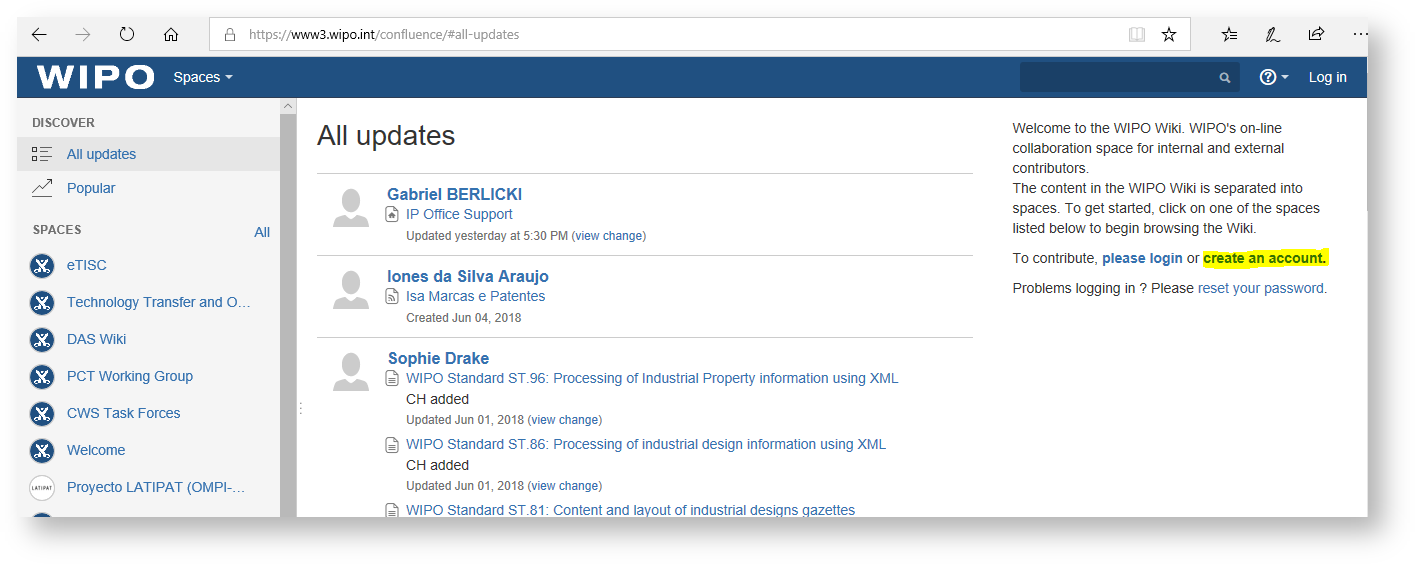
and click on “Create an account”
2) Fill the form:
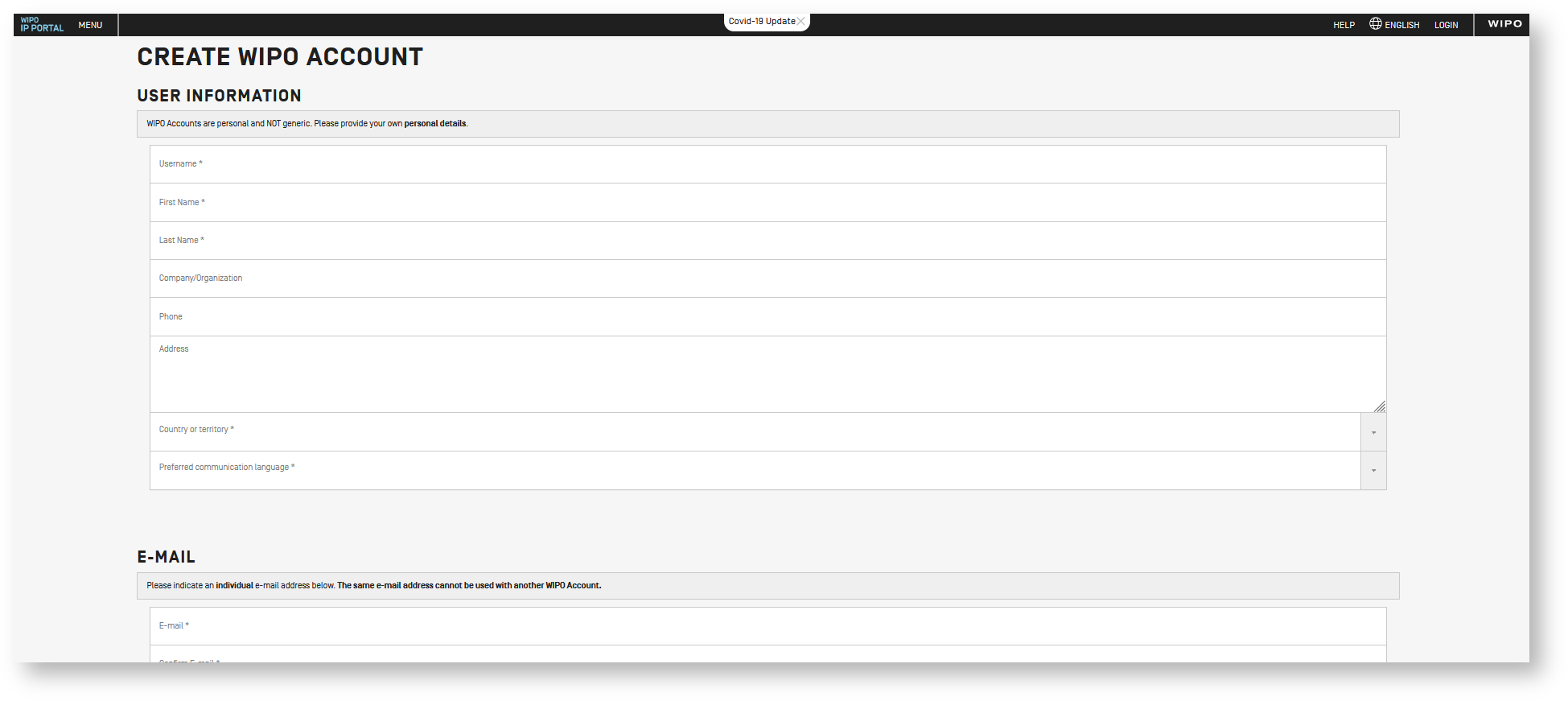
3) Please add your email
...
Please go to the WIKI website using the following URL:
https://
...
confluence.wipo.int/confluence/login.action
and log in with your newly created credentials:
...
After the activation of the account is completed.
If you were instructed by a support expert, you can share your account information with them (username and/or Full Name), so they may assign the needed permissions to your profile.
If not, please send an email to ipas@wipo.int requesting Send an email to ipas@wipo.int, requesting access to the restricted space of IPOBSD Wiki with the following information:
...